ONIXhub

A publisher feed goes in. Every shelf you sell on lights up.

ONIXhub reads your publishers' ONIX files, lets your team curate them in a private workbench, publishes to your Catalog as named collections, and pushes each one to your webstore, the marketplaces and your inventory system. No spreadsheets in between.

Book a walkthrough Watch five minutes Bring your own ONIX file. We ingest it live.

Every publisher's feed, through the same door.

McGraw Hill, Simon & Schuster, Penguin Random House, HarperCollins, Scholastic: each sends its own ONIX file, and each lands in the same place. Drop one in, or point ONIXhub at a folder and let it pick up new feeds on its own. Every product is parsed as it streams, codelists resolved on the way in, your sellability rules applied at the door. Fifty thousand titles while the coffee brews.

  • ONIX 3.0, reference or short tags
  • Excel for publishers who send spreadsheets
  • Watched folder: new feed, no clicks
  • What should never be on sale never reaches the shelf

Publisher documents streaming through a gate of light

A workbench where the whole catalogue fits on one screen.

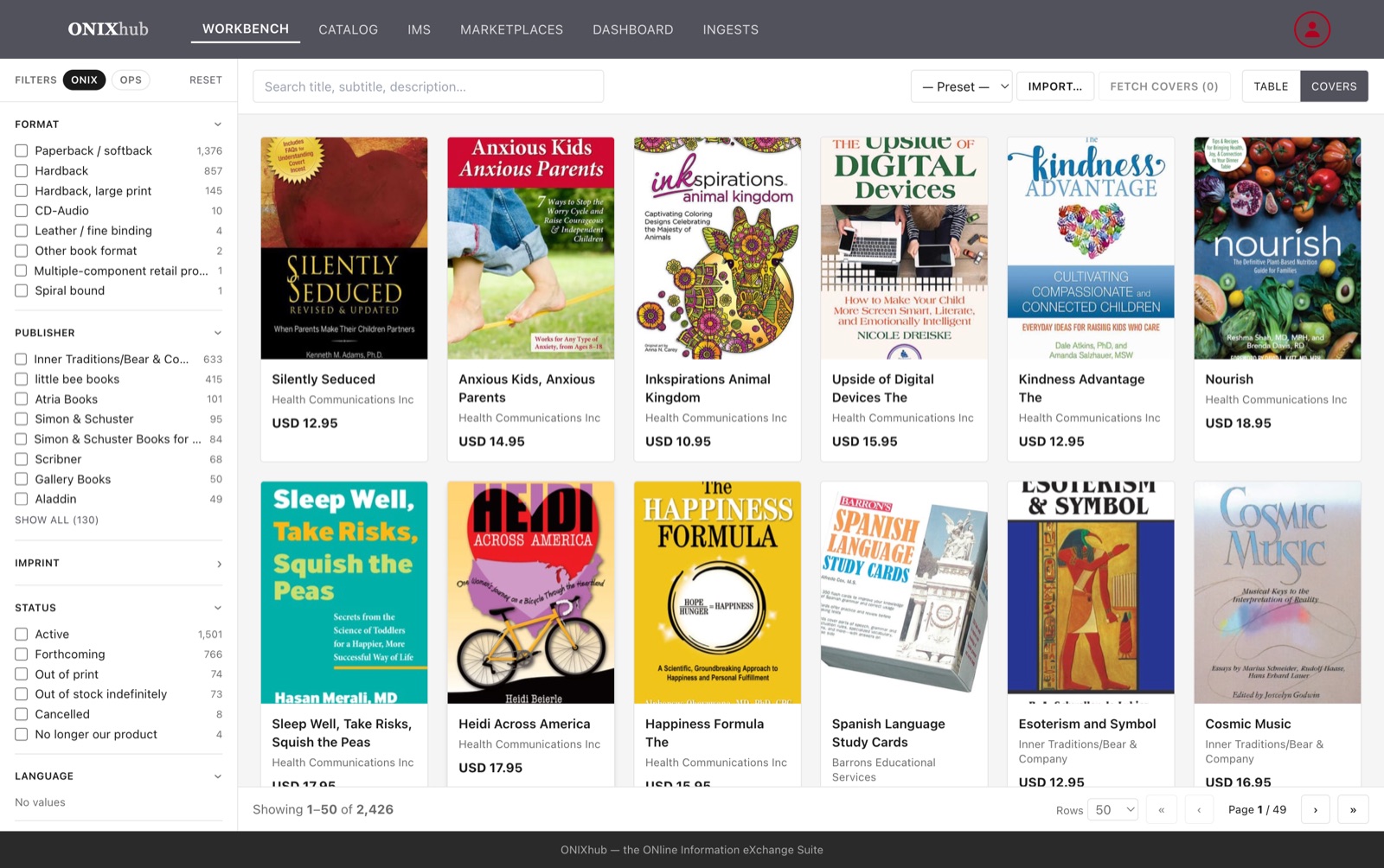
Search everything. Filter by publisher, imprint, form, language, audience, subject, price, date. Save the combination. Fix what needs a human. Nothing here is live until you publish it to a collection.

  • Covers fetched from the publisher, or yours uploaded
  • Your own subject scheme over BISAC and Thema
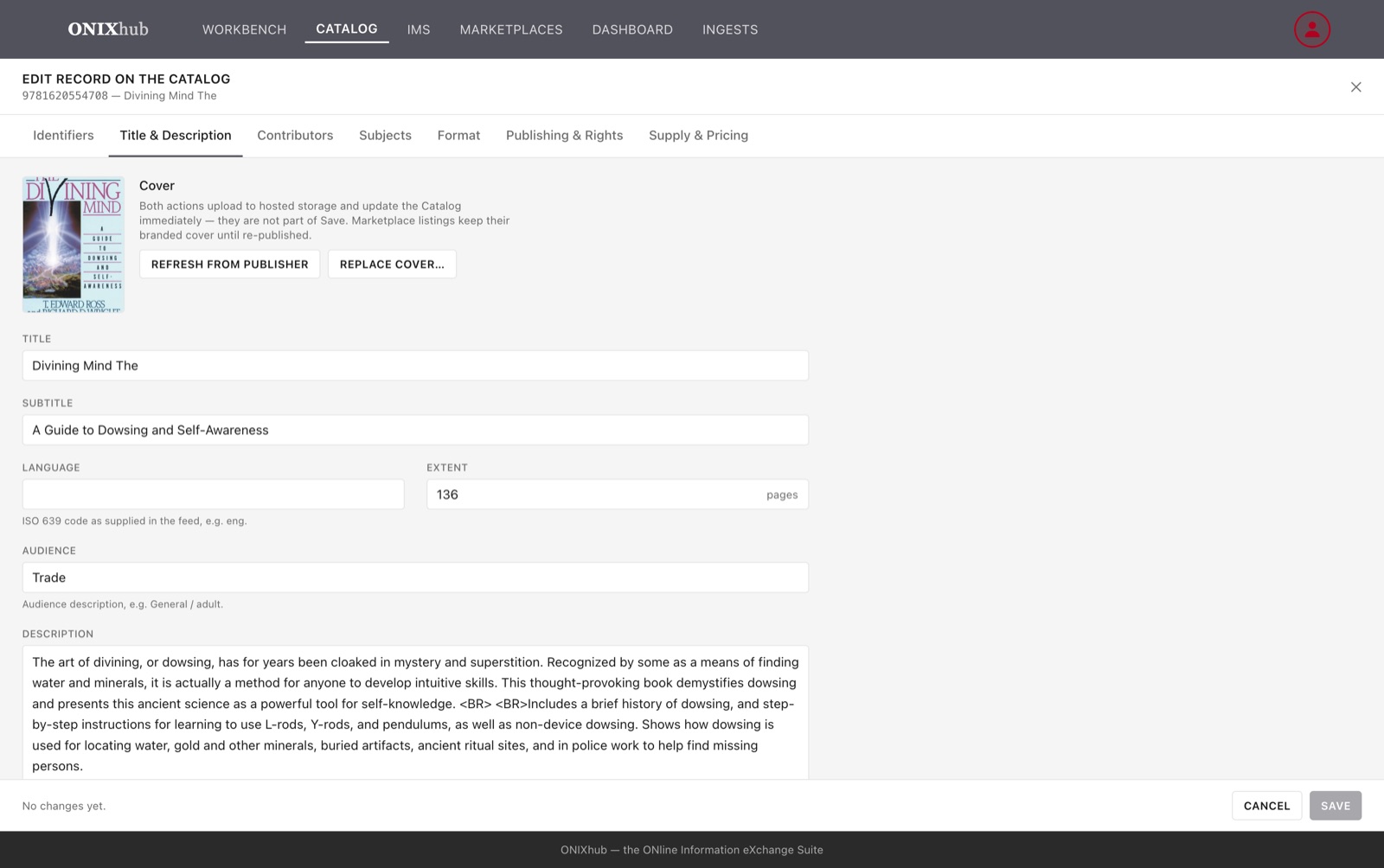
  • A record editor, every change tracked
A wall of book covers, three of them lit

Your Catalog. On your cloud. As many collections as you have seasons.

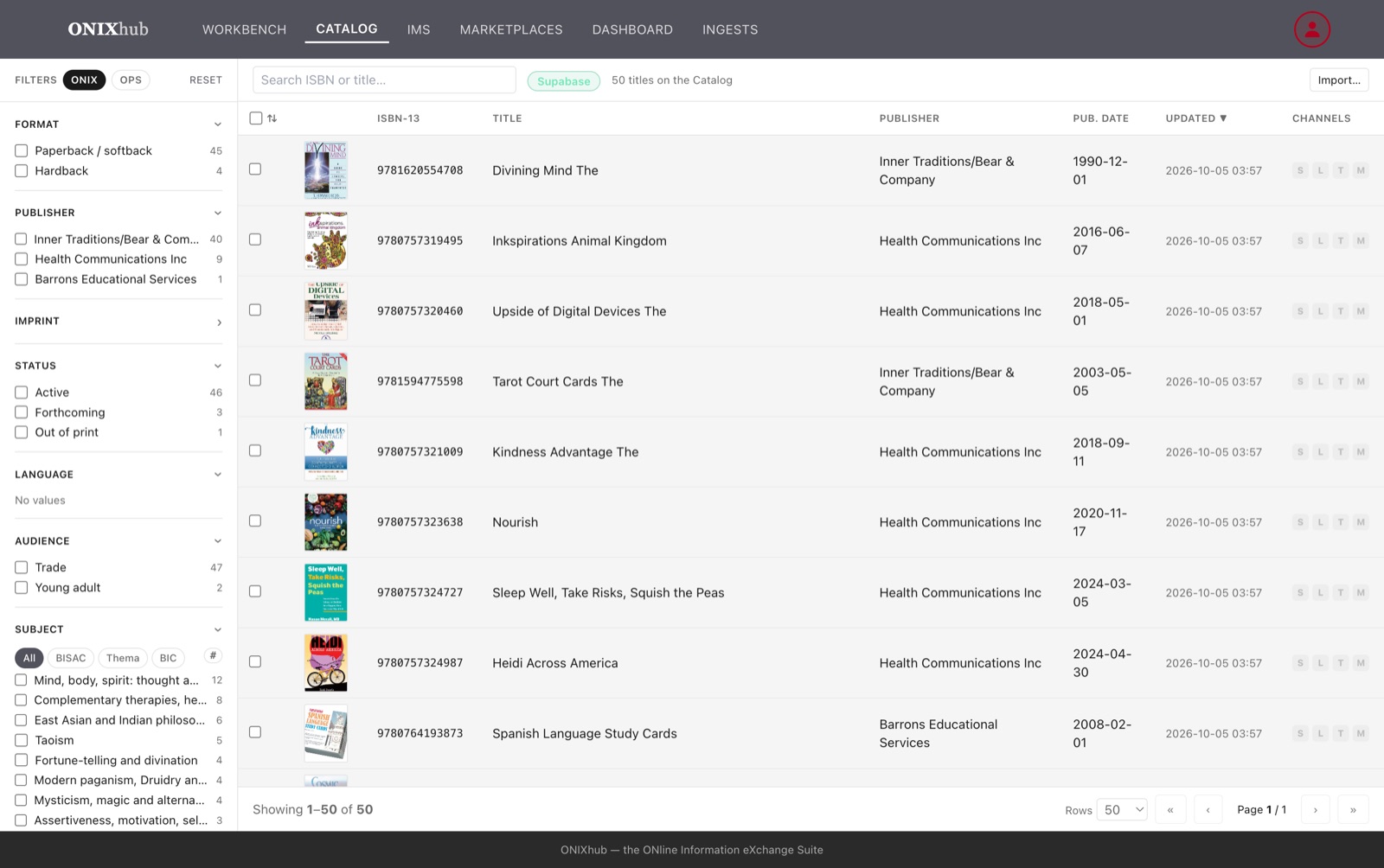
Publish a selection and it becomes part of the system of record: a hosted database on Supabase or Azure, your choice, one switch. Name the collection it joins, tag it, and the team sees it the moment it lands.

  • A Christmas catalogue, a back-to-school one, a bestsellers list: separate collections, one Catalog behind them
  • Replace a collection for the new season without touching the others
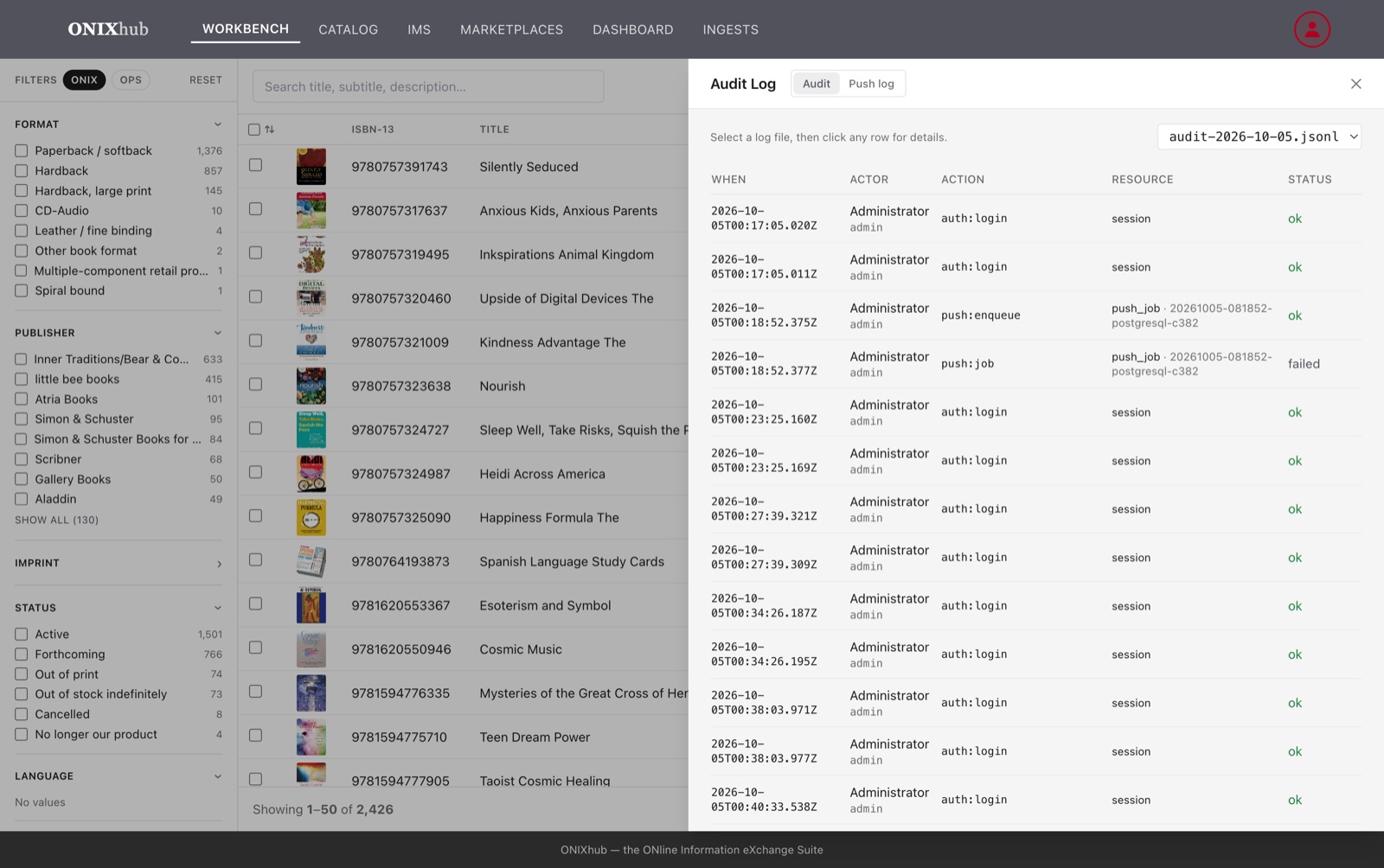
  • Every write audited: who, what, when, from which machine
  • The trail mirrored to your own storage, not ours
A single glowing shelf of books at the centre of a dark room

From your Catalog to everywhere you sell.

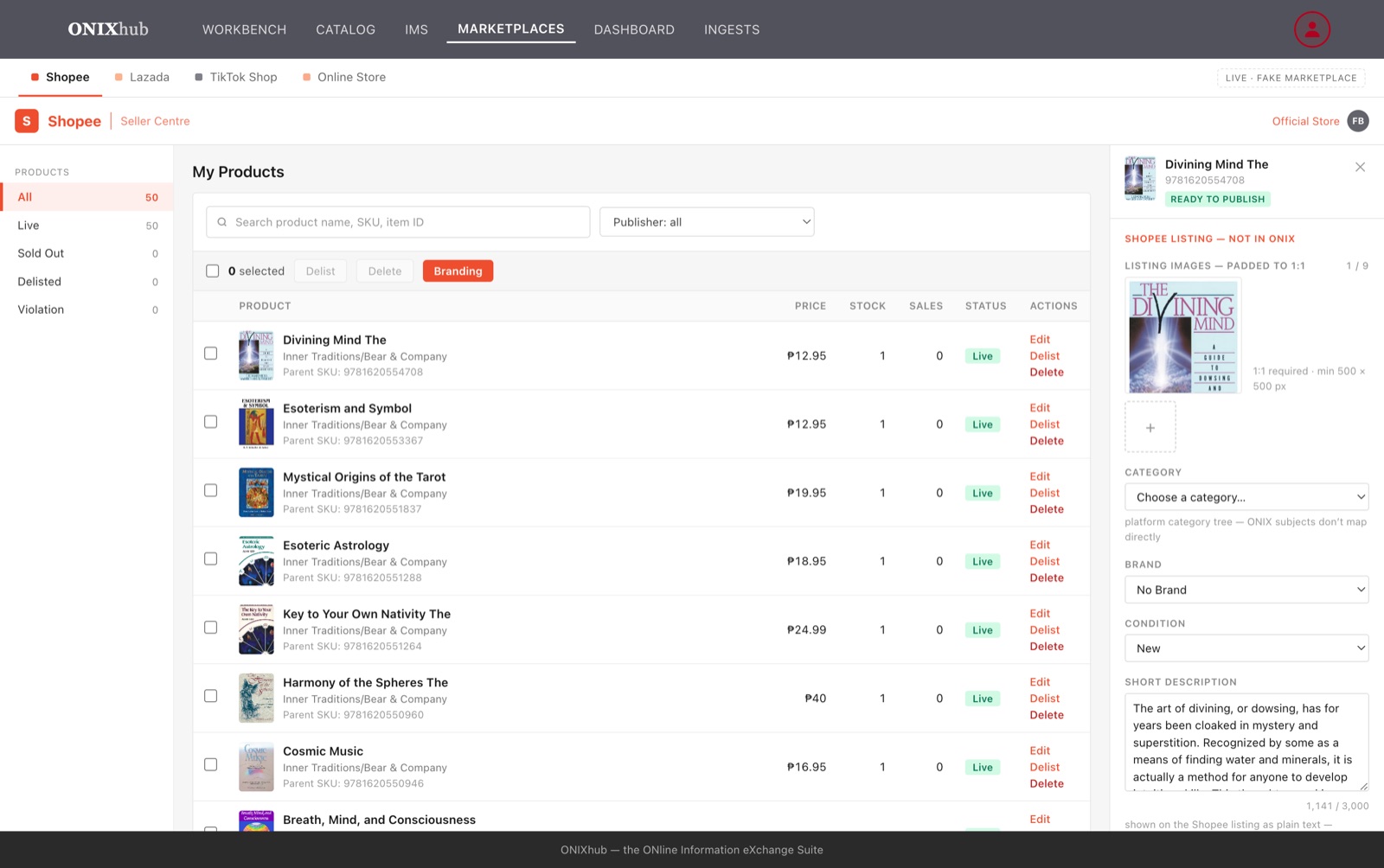
Your Magento store gets your category trees, not a template. Shopee, Lazada and TikTok Shop get prices, stock, categories and images set per platform, seasonal branding composited onto the covers, then published. Your SQL Server inventory gets rows in the table it already promotes from.

MagentoShopeeLazadaTikTok ShopSQL Server IMS
  • Every channel runs behind a safe fake until you connect the real one. Train the team on day one.
Lines of light fanning out from one shelf to five storefronts

This is the real application, not a mock-up.

The same screens ship on Mac and Windows as a desktop app, and in the browser as the web edition. Swipe through.

Workbench with covers and facets
The Workbench: search, facets, presets, covers.
Marketplaces staging with branding overlays
Marketplaces: staged per platform, seasonal branding on the covers.
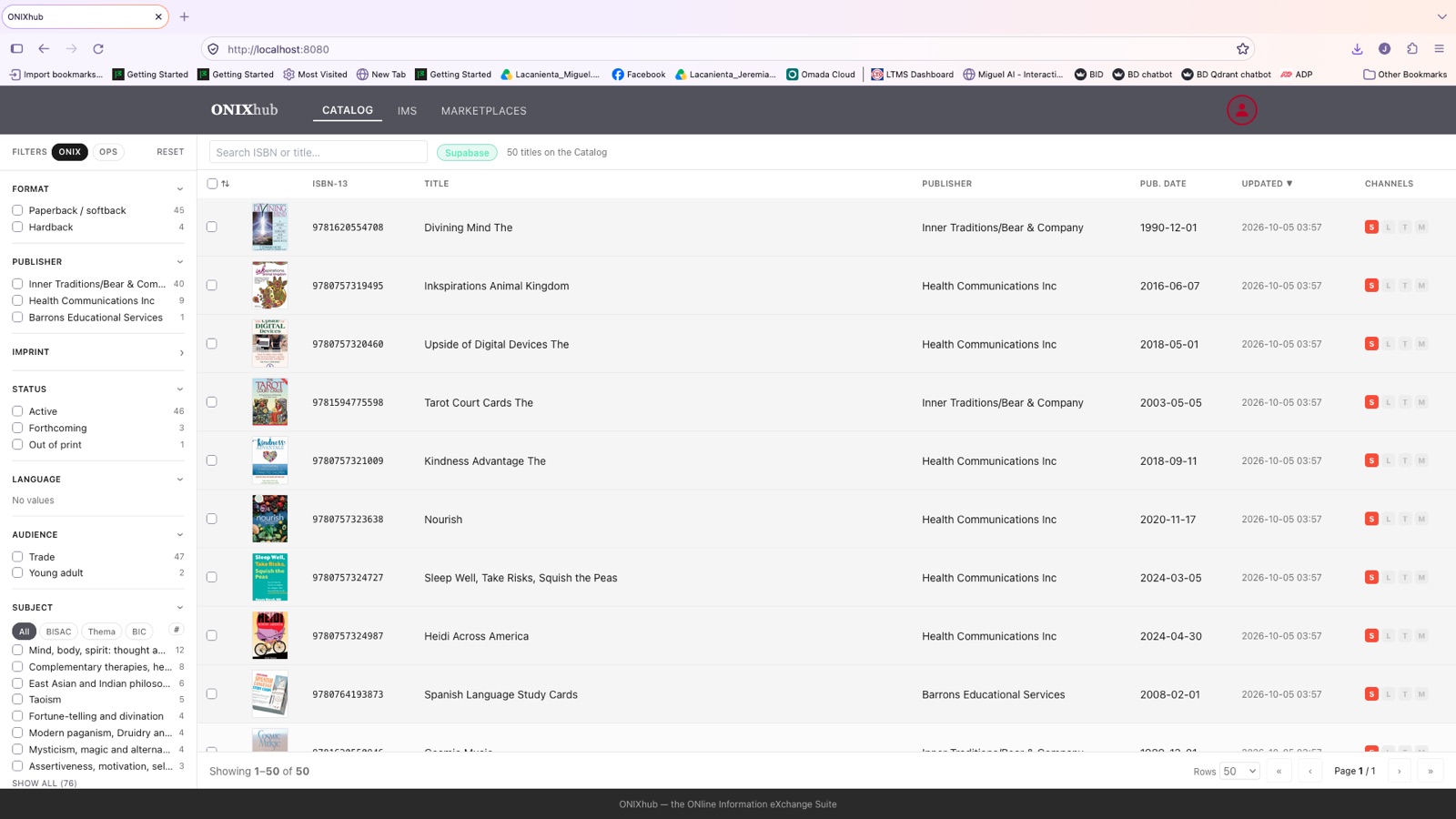
The Catalog with the provider pill
The Catalog, on Supabase or Azure.
Record editor
The record editor. Every change audited.
The web edition in a browser
The web edition, in any browser.
Audit log
Who did what, when, from which machine.

Yours on day one. Not a demo of ours.

One command renames the product, the installer, the colours and the data directory to your brand. A setup form takes your connections and credentials and puts them in one protected folder on each machine. Nothing of ours is left in it.

One locked folder, a laptop and a browser both connected to it

Desktop and web

Mac and Windows for the people who ingest and curate. A browser for everyone who works the Catalog and the channels. Same screens, same rules.

Roles, not passwords

Your administrator sends a sealed one-time sign-in file. It sets the machine up and signs the person in. One switch revokes a leaver everywhere.

Your cloud

Supabase or Azure for the Catalog and storage. The audit trail lands in your bucket.

Safe fakes

Every vendor connection has a built-in stand-in. Nothing goes live by accident, and a broken setting fails to the fake, never to a real store.

Customisations included

Category trees, attribute sets, branding overlays, subject schemes and sellability rules are yours to shape, in the product, not in a change request.

Send us one ONIX file. Watch it reach every shelf.

A 45-minute walkthrough on your data, your channels, your colours. No slides.

Book a walkthrough